April 1 comes and passes, leaving behind all the harmless jokes and fake announcements that make you question reality on April Fools' Day.
Sadly, scammers never get the memo.
Spring marks a peak season for cyber attacks—not because employees are careless, but because during busy, distracted periods, even the sharpest professionals can overlook threats disguised as typical work messages.
Here are three active scams deceiving vigilant, well-intentioned employees just trying to keep up.
As you read, ask yourself: Would every team member take a moment to spot these scams?
Scam #1: The Fake Toll or Parking Fee Text Message
An employee receives a text:
"You have an unpaid toll fee of $6.99. Pay within 12 hours to avoid penalties."
This message references a legitimate toll system like E-ZPass, SunPass, or FasTrak matching their state. The small charge avoids suspicion. Between meetings, they tap the link, pay quickly, and move on.
But the link is fraudulent.
In 2024 alone, the FBI reported over 60,000 complaints about fake toll texts. By 2025, incidents skyrocketed 900%. Researchers uncovered more than 60,000 counterfeit domains mimicking state toll agencies—demonstrating how lucrative this scam has become. Some targets even received messages though no toll roads exist in their state.
The scam works because a small amount seems safe, and most people recently experienced tolls or parking. The message feels completely plausible.
Defense Tip: Legitimate toll agencies never demand immediate text payments. Employees should avoid texting links, instead verify charges by logging into official websites or apps directly. Never respond to suspicious texts—even "STOP"—to avoid confirming numbers to scammers.
Convenience is the trap; strict procedures are the shield.
Scam #2: The "Your File Is Ready" Email
This scam blends seamlessly into normal workflows.
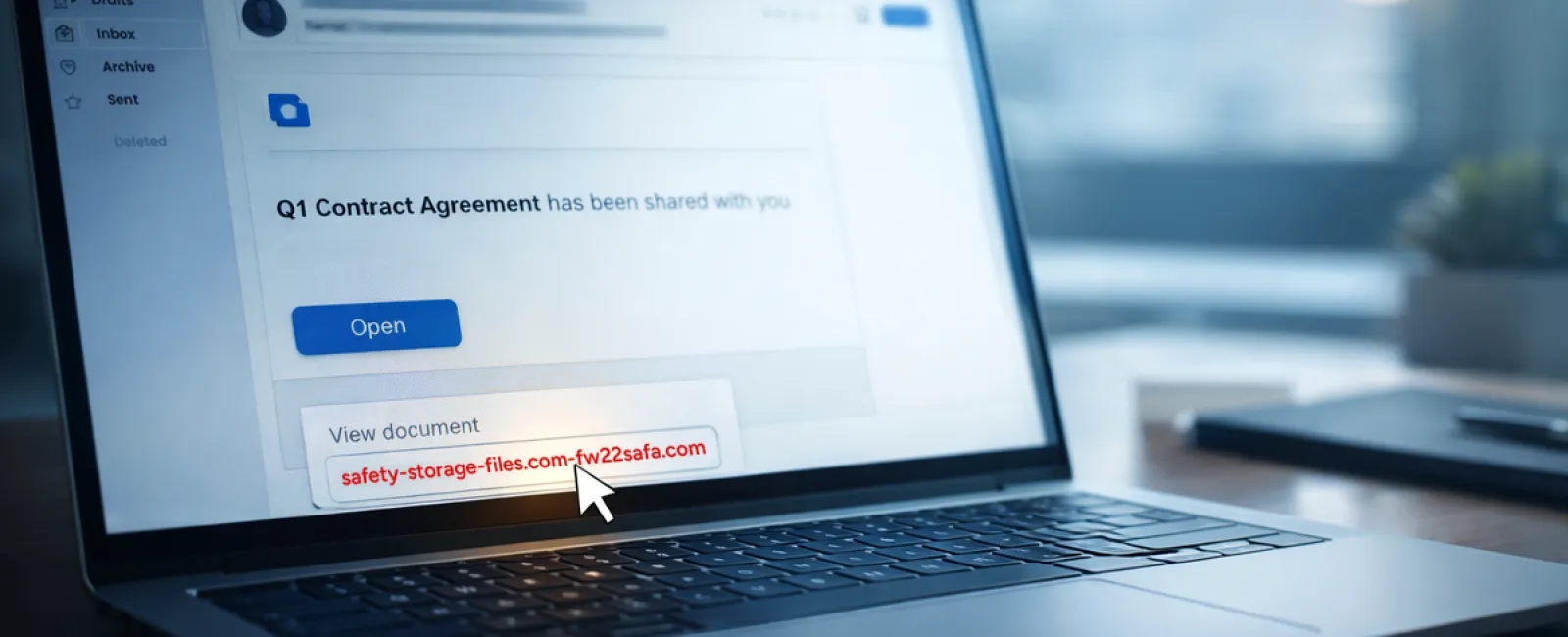
An employee receives an email that a document—like a contract in DocuSign, or a spreadsheet in OneDrive or Google Drive—is shared.
The sender's name and formatting appear completely legitimate.
Upon clicking, they're asked to log in. When they enter their work credentials, attackers gain access to the company's cloud environment.
Phishing via trusted platforms soared 67% in 2025, using Google Drive, DocuSign, Microsoft, and Salesforce to impersonate real shared files. Google Slides phishing increased over 200% in just six months.
Alarmingly, staff are seven times more likely to click malicious links from OneDrive or SharePoint notifications because they appear genuine.
Modern attacks are even more sophisticated. Hackers send links from compromised accounts using official sharing features, making emails appear to originate legitimately—bypassing spam filters.
Defense Tip: Employees should never click unexpected shared file links. Instead, open the platform directly via a browser to verify the file's existence. Restrict external sharing permissions and set alerts for unusual login activity—simple IT settings that strengthen protection in minutes.
Routine caution yields powerful protection.
Scam #3: The Perfectly Written Phishing Email
Gone are the days when phishing emails were easy to detect thanks to poor grammar and formatting.
A 2025 study revealed AI-crafted phishing emails generate a 54% click rate—over four times higher than human-written scams (12%). These emails impersonate real companies, job titles, and workflows by scraping public sources like LinkedIn.
The new approach targets departments precisely: HR gets fake employee verifications; finance receives vendor payment change requests. In one trial, 72% of employees interacted with vendor impersonation emails—90% higher than other phishing types. These messages are calm, professional, urgent without drama—just another typical day in the inbox.
Defense Tip: Verify all credential, payment, or sensitive data requests through a secondary channel, such as a phone call, chat, or an in-person check. Before clicking links, hover over sender addresses to inspect domains. When an email pressures urgency, treat that urgency itself as a red flag.
Genuine security relies on calm vigilance, not panic.
What This All Boils Down To
Every scam exploits familiarity, authority, timing, and the false expectation that "this will only take a moment."
The true vulnerability isn't careless employees, but systems assuming everyone will always slow down, double-check, and make perfect choices under pressure.
If one rushed click can ruin your day, it's not a people problem—it's a process problem.
And process issues can be fixed.
How We Can Support You
Most business owners don't want to add another project or become the sole cybersecurity trainer.
They want reassurance that their company isn't quietly exposed.
If you're worried about your team's digital safety—or know another business owner who might be—let's talk.
Book a straightforward discovery call to discuss:
- Current risks facing businesses like yours
- Where threats sneak in during typical daily tasks
- Practical ways to reduce exposure without slowing your team
No pressure, no scare tactics—just a clear conversation about identifying and eliminating risks.
Click here or give us a call at 312-564-5446 to schedule your free Initial Consultation.
If this doesn't fit your needs, please forward it to someone who'd benefit. Often, knowing what to watch for turns a "would-have-clicked" into a "nice try."