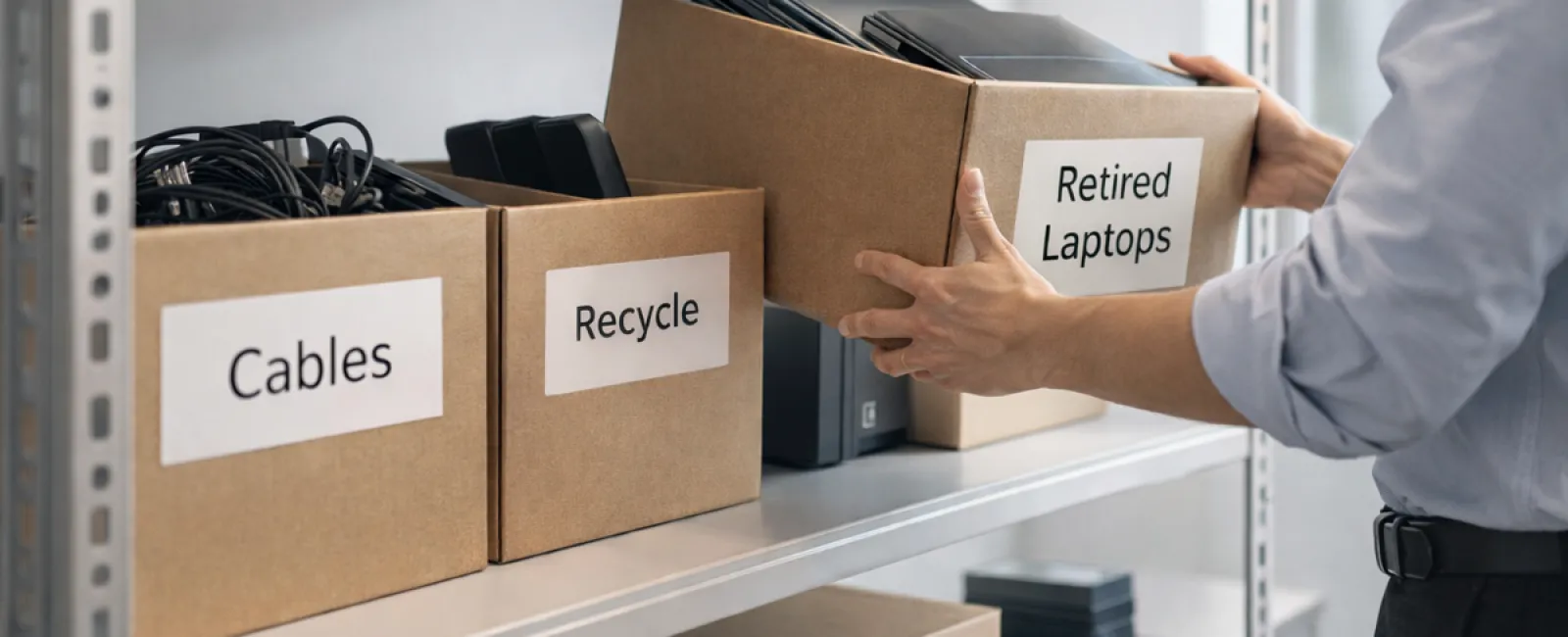
While spring cleaning often focuses on tidying closets, the true source of clutter in many businesses lies beyond clothes racks.
It's not just on server racks—it could be tucked away in storage rooms, back offices, or even piled under "we'll tackle this later."
Outdated laptops, retired printers, backup drives from multiple upgrades ago, and boxes of cables kept "just in case"—every company accumulates these over time.
The key question isn't whether these items exist, but whether your business has a clear plan for managing them.
The Lifecycle of Technology Extends Beyond Purchase Dates
New equipment is typically acquired for good reasons: faster performance, enhanced security, increased capabilities, or to support business growth.
Most companies strategize technology purchases, yet few have deliberate plans for retiring outdated gear.
Often, retiring devices happens quietly—equipment is replaced, set aside, and eventually someone decides to clear it out.
That's standard practice.
What's less common is giving equipment retirement the same purposeful approach as acquiring new technology.
Even old technology holds value—whether reusable, recyclable, or containing sensitive data. If left unmanaged, it can bog down operations and clutter your workspace.
Spring offers an ideal moment to evaluate: What assets are still useful, and what's merely taking up precious space?
A Clear Method to Organize and Retire Your Technology
Make your next tech cleanup more than a casual thought by following our straightforward four-step method.
Step 1: Conduct an Inventory
Identify exactly what you're retiring: laptops, phones, printers, network devices, external drives? You can't manage what you haven't pinpointed, and a walkthrough often uncovers more than expected.
Step 2: Determine Device Destination
Each piece of equipment usually fits into one of three categories: reuse (internally or donated), certified recycling (via e-waste programs), or destruction (for sensitive data). The key is making conscious decisions—not allowing devices to linger indefinitely.
Step 3: Prepare Devices Thoroughly
This step requires discipline.
If you plan to reuse or donate, remove devices from management systems, revoke user access, and perform certified data wiping—not just a simple factory reset. Deleting files or quick formatting doesn't fully erase information; it merely hides it.
Research from data security firm Blancco revealed 42% of drives resold on eBay still contained private data despite sellers claiming proper wiping. Certified erasure tools overwrite every sector with verification reports.
For recycling, always select certified e-waste vendors—not trash bins or sidewalks. Note that popular programs like Best Buy's recycling only accept residential electronics, not business hardware.
Businesses should use certified IT asset disposition (ITAD) providers or commercial e-waste recyclers with e-Stewards or R2 certification (searchable at e-stewards.org and sustainableelectronics.org). Often, your IT provider can help coordinate this process.
If destruction is necessary, employ certified wiping methods or physical destruction (like shredding or degaussing) and record device serial numbers, destruction methods, dates, and handlers.
This approach isn't excessive caution—it's about responsibly completing the tech lifecycle.
Step 4: Document and Proceed
Once equipment has left your premises, maintain records detailing where it went, its handling process, and confirmation that access was revoked. Clear documentation eliminates lingering doubts.
Technology Often Overlooked in Retirements
Laptops draw most focus, but other devices require attention too.
Phones and tablets can still contain sensitive information like emails, contacts, and authentication apps. While a factory reset helps, certified mobile wiping tools offer more comprehensive cleansing. Major brands such as Apple and Samsung offer trade-in programs—even for older models—providing possible credits toward new devices.
Modern printers and copiers often house internal hard drives storing every scan, copy, fax, or print job. When returning leased machines, verify in writing that their hard drives will be either wiped or physically removed before redeployment.
Batteries are considered hazardous waste by the EPA. In several states—including California, New York, and Minnesota—it's illegal for businesses to discard rechargeable batteries in regular trash. Remove batteries when possible, tape terminals to prevent short circuits, and bring them to certified drop-off locations. Resources like Call2Recycle.org provide searchable drop-off points. Retailers such as Staples, Home Depot, and Lowe's accept rechargeable batteries in many stores.
External drives and retired servers tend to accumulate in closets longer than planned. Like other devices, they require proper retirement procedures.
Responsible Electronics Recycling Matters
April's Earth Day reminders are timely.
Electronic waste should never be sent to landfills. Globally, over 62 million metric tons of e-waste are generated annually, yet only about 22% is properly recycled. Items like batteries, monitors, and circuit boards belong in certified recycling systems. Most communities provide e-waste recycling solutions to facilitate this.
When managed correctly, retiring technology can be operationally efficient, environmentally responsible, and strategically beneficial. You don't have to choose between safety and sustainability—you can achieve both.
This practice is also beneficial for your brand's image; customers appreciate businesses that handle technology responsibly without excessive fanfare.
Unlocking Greater Potential Beyond Cleanup
Spring cleaning is less about discarding and more about creating space for growth.
Clearing obsolete hardware is just one aspect. Use this opportunity to evaluate whether your technology truly supports your business objectives.
While hardware evolves, the real drivers of productivity and profit are software, systems, automation, and process design.
Properly retiring equipment is good operational hygiene. Ensuring your overall tech ecosystem aligns with your vision propels your business forward.
How We Support Your Technology Journey
If you already have a mature process for equipment retirement, excellent—that's exactly how it should feel: seamless and routine.
However, if now's the right moment to rethink retiring old gear, it's also prime to assess the bigger picture: Are your systems integrated? Are your tools optimized? Does your tech help you grow or merely maintain?
We're ready to help you step back and review how your technology stack, workflows, and processes can better boost your efficiency and profitability.
No equipment inventories required. No pressure sales. Just an honest conversation about leveraging technology to work smarter.
Click here or give us a call at 312-564-5446 to schedule your free Initial Consultation.
If this inspired you, please share it with fellow business owners to help spread the word.
Remember, spring cleaning isn't just for closets—it's crucial to include the systems that keep your business thriving.